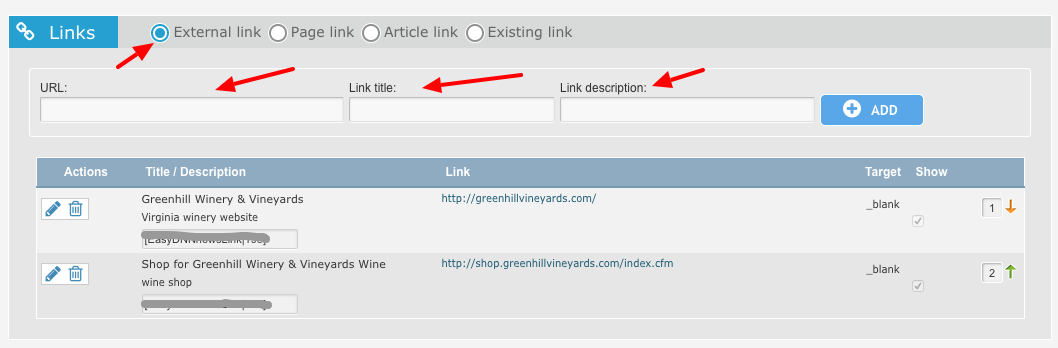
You can add links back to your winery website or to your social media accounts. The Free Basic Account allows for one link. The Plus and Advanced accounts allow for up to 3 links to be added.
Here's how to add them.
- Login to your account and Navigate to the CMS | Profile Management page.
- Click to Edit your Profile
- Scroll down to the Links Section.
Links: You can add links to your website, Facebook page, Instagram or Twitter account or any other site.
URL: Enter the full address including any http://
Link Title - this will be the text of the link created
Link Description - additional text that appears after the link (eg. Facebook Page, Website)