
You can add or edit your winery location map shown on your Profile and as also included on our Maps page.
Here's how to add or edit your location.
Winery Location and Map
In order show your Location in your profile on the site and on our Map page of Virginia you need to add the Location Marker.

Select ADD or EDIT MAP
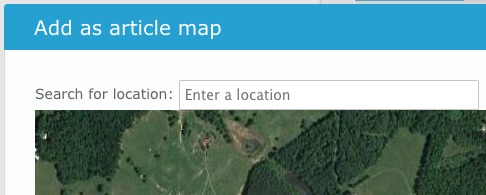
Use search box to find location. Search by name or address. Name usually works.
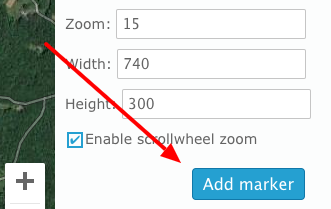
Set width to 740 and Height to 300 (default)
Set the Zoom to 15, 16, or 17 depending on visibility.
Set the type to Hybrid
Select ADD MARKER button
You can click and drag the Market to position it best for your location.
Enter the Title for the Marker. This is the text that will appear in the LOCATION field on your event listing.
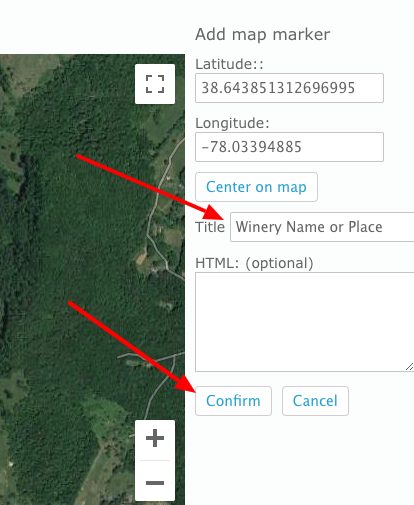
IMPORTANT: Click the CONFIRM button to save the Marker position and name.